Local Storage Outdoor Cameras: What to Know Before Buying
Local storage outdoor cameras provide a unique solution for those wishing to monitor their homes without recurring monthly costs. These cameras store footage internally rather than on the cloud, which can increase security and control. They cater well to homeowners who value privacy and prefer keeping their files in-house. As you prepare to buy, it’s important to understand how local storage works, the various storage options, and the features that enhance effectiveness. This guide outlines essential elements you need to know before investing in a local storage outdoor camera, helping you make an informed decision that aligns with your surveillance needs and budget.

Why Local Storage Matters (Privacy, Control, and Cost)
Local storage cameras put control back into your hands. They keep footage stored locally, enhancing privacy since no data is uploaded to a cloud. This reduces unauthorized access chances, offering peace of mind. Moreover, local storage means no ongoing fees, providing long-term savings. Control and cost-efficiency make these cameras attractive, especially to budget-conscious consumers. Opting for local storage translates into self-reliance, eliminating dependence on third-party servers. Homeowners can view their footage anytime without needing an internet connection, enhancing both security and convenience.
How Local Storage Works
Where Footage Lives: On-Camera, Base Station, microSD, or NAS
Footage from local storage cameras can reside directly on the camera, in a separate base station, on a removable microSD card, or within a Network Attached Storage (NAS) device. On-camera storage typically has limited space but is convenient for quick access. Base stations offer centralized storage for multiple cameras, vital for larger setups. microSD cards are removable and provide flexibility but require regular management. Lastly, NAS systems are ideal for users looking to expand storage without compromising accessibility.
What You Still Need Internet For (Alerts, Live View, Updates)
While footage recording doesn’t require internet, online connectivity is essential for real-time alerts, live viewing, and software updates. Alerts are pushed to your devices over the internet, keeping you informed of activities. Live view allows you to check your premises remotely. Continuous software and firmware updates are crucial for maintaining security features. Thus, although the cameras can function independently for recording, internet access enhances their overall utility by enabling these critical functionalities.
Local Storage Types You’ll See When Shopping
Built-in Storage Cameras (Simple, but Limited)
Built-in storage cameras offer simplicity, storing footage internally without additional equipment. They work best for straightforward setups and are easy to install. However, they have limited capacity, which may quickly fill up, especially with high-resolution recordings. This necessitates frequent deletions, which might not suit those needing longer retention.
microSD Card Cameras (Flexible, but Needs Maintenance)
microSD card cameras provide a more flexible option, as storage size can be adjusted by swapping cards. This adaptability allows for expanded storage when necessary. Nonetheless, regular swaps and formatting are required to avoid corruption or filling, which constitutes maintenance efforts. Despite the extra step, microSD cards are a popular choice due to their affordability and widespread availability.
Home Base / Hub Storage Systems (Best for Multi-Cam Homes)
Home base or hub storage systems are perfect for homes needing coverage from multiple cameras. They centralize footage, offering ease of access and organization. These systems can support greater capacities than individual cameras and require less frequent maintenance. Although they might entail higher initial costs, they prove cost-effective over time for expansive surveillance setups.
What to Check Before You Buy
Storage Size and Retention: How Many Days You Actually Get
When choosing a camera, pay attention to its storage size and anticipated retention period. Storage dictates how long footage can be kept before overwriting. Larger storage allows for a longer retention period, but assess your needs. For routine monitoring, a few days might suffice, but extensive histories require larger capacities. Avoid scenarios where crucial footage is lost due to insufficient space.
Video Quality vs Storage: How 2K/4K Changes Space Fast
High-definition recordings, such as 2K or 4K, offer better clarity but consume space rapidly. Evaluate the balance between image quality and storage availability. Higher resolutions enhance detail in recordings, which is beneficial for identifying specifics in incidents. However, be prepared for these formats to deplete storage quickly, necessitating either frequent file swaps or additional memory.
Encryption, User Access, and Theft Protection
Security doesn’t stop at physical installation. Encryption secures recorded footage from external threats. Verify that the chosen camera provides robust encryption protocols, safeguarding data. Additionally, easily manageable user access ensures only authorized individuals can view live or recorded footage. Some cameras also feature theft protection, ensuring data remains accessible even if the device is removed.
Performance and Reliability
Clip-based Recording vs 24/7 Recording: What’s Realistic
Understand your recording setup: clip-based or full-time. Clip-based records during detected movement, conserving storage. It suits those focusing on specific events. Conversely, 24/7 recording provides comprehensive coverage. While it offers in-depth monitoring, it quickly fills storage, not ideal unless paired with extensive space or rapid overwrite capacities. Choose based on surveillance scope and storage management readiness.
Weather, Battery Life, and Wi-Fi Range: The Outdoor Reality
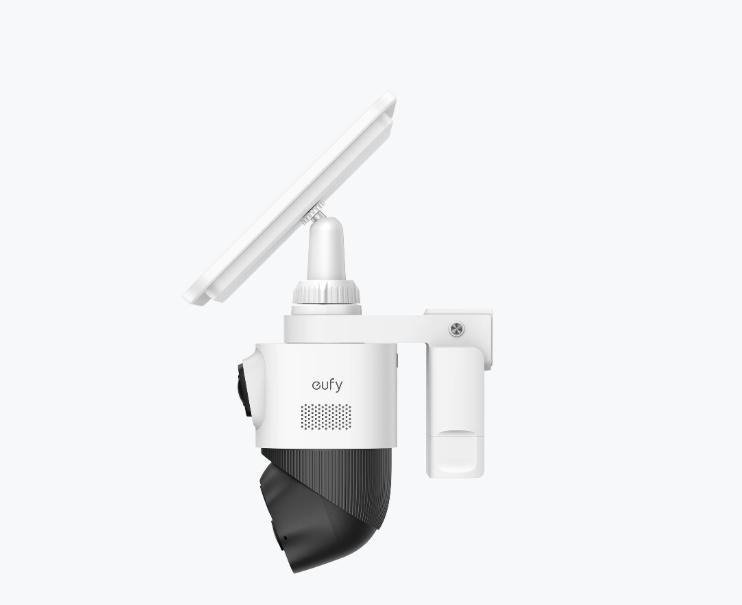
Outdoor cameras must withstand environmental factors. Ensure models are weather-resistant to endure rain, heat, and cold. Battery life is vital for wireless models; look for solutions offering long durations to reduce frequent recharges. Additionally, Wi-Fi range affects connectivity reliability. Ensure adequate coverage for positioning off-camera storage quickly without signal degradation.
Buying Smart: Features That Make Local Storage Better
AI Detection on Device: Fewer False Alerts, Faster Review
AI detection capabilities minimize false notifications, saving time and focus. Cameras equipped with on-device AI process video locally, ensuring faster and more accurate alert systems. This feature enhances responsiveness, ensuring timely reactions to legitimate threats without getting bogged down in non-essential alerts.
Activity Zones and Smart Notifications
Customize monitoring with activity zones, allowing focus on sensitive areas while ignoring others. This specificity minimizes unnecessary data recording, extending storage and increasing relevance of alerts. Coupling these zones with smart notifications enriches surveillance, notifying users of significant events while reducing superfluous disturbances.
Spotlight, Siren, and Two-Way Audio
Features like spotlights and sirens bolster security by deterring potential intruders. Cameras equipped with these options not only capture footage but actively help protect property. Additionally, two-way audio enables direct communication with individuals on site, providing immediate response capabilities during unexpected incidents.
eufyCam Kits + HomeBase: Local Storage for Multi-Camera Setups
For homes requiring extensive coverage, eufyCam kits with HomeBase offer efficient solutions. These systems provide extensive local storage for multiple cameras, streamlining data access and management. The bundled HomeBase acts as a central hub, optimizing performance and facilitating seamless integration across devices, perfect for comprehensive home surveillance.
read more : How to Source Scrub Daddy Wholesale for Your Retail Business
Conclusion
Purchasing a local storage wireless outdoor security cameras involves numerous considerations. By prioritizing privacy, controlling costs, and finding the right type and size of storage, you can simplify surveillance while safeguarding data. Opt for systems matching your specific needs, balancing video quality, performance features, and storage capabilities. Equipped with the right features, you’ll enjoy a secure, efficient, and cost-effective surveillance solution that aligns with your home security goals.